Your Adobe Portfolio can move. Every project comes with you.
Paste your link and see your site rebuilt. Once it's yours, change anything with AI. The files and the domain stay yours.
Still paying Adobe? Move before you cancel, while your site is online.
The short answer
Adobe Portfolio has no export, but your site can migrate without rebuilding it by hand: Promtfolio reads it from its link and rebuilds it as a site you own. See it free at promtfolio.com: the whole home page with every project, and the inside page of three projects. $39 once, plus tax where it applies. Then choose how to continue: go live with us at promtfolio.com/yourname or on your own domain, with no separate hosting, or download the files and change anything with AI in Claude Code or Codex.
You didn't stop working. The site just stopped keeping up.
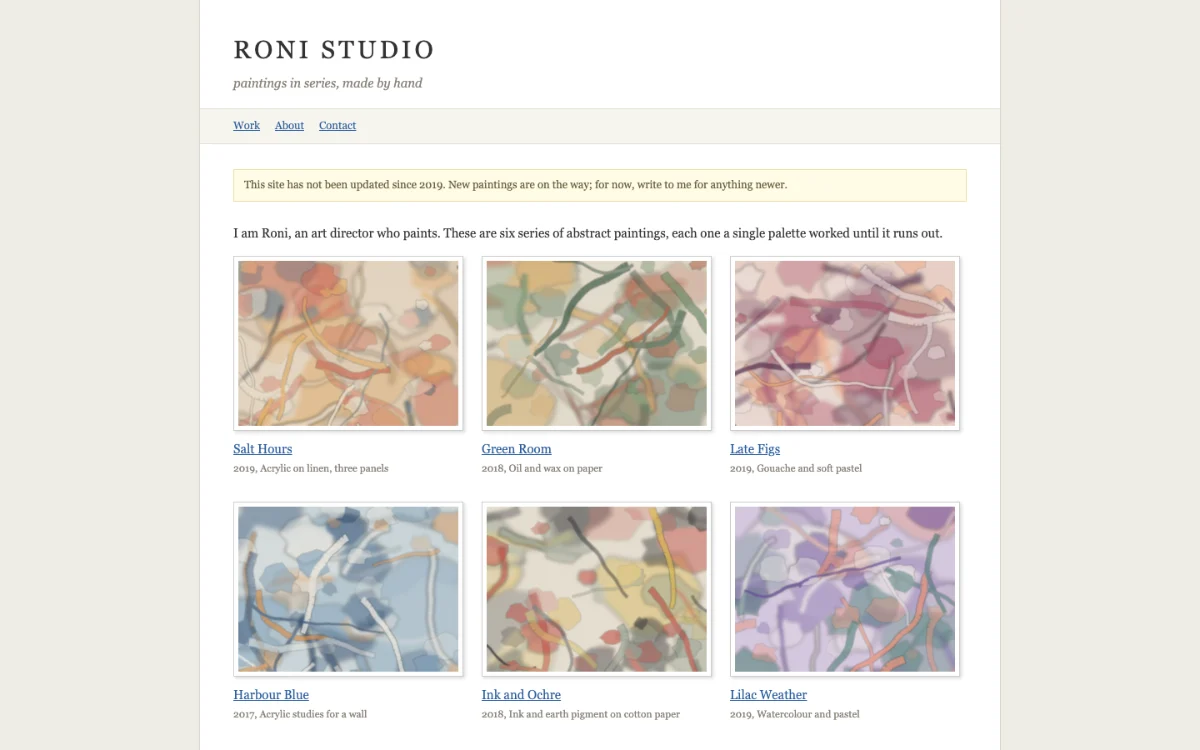
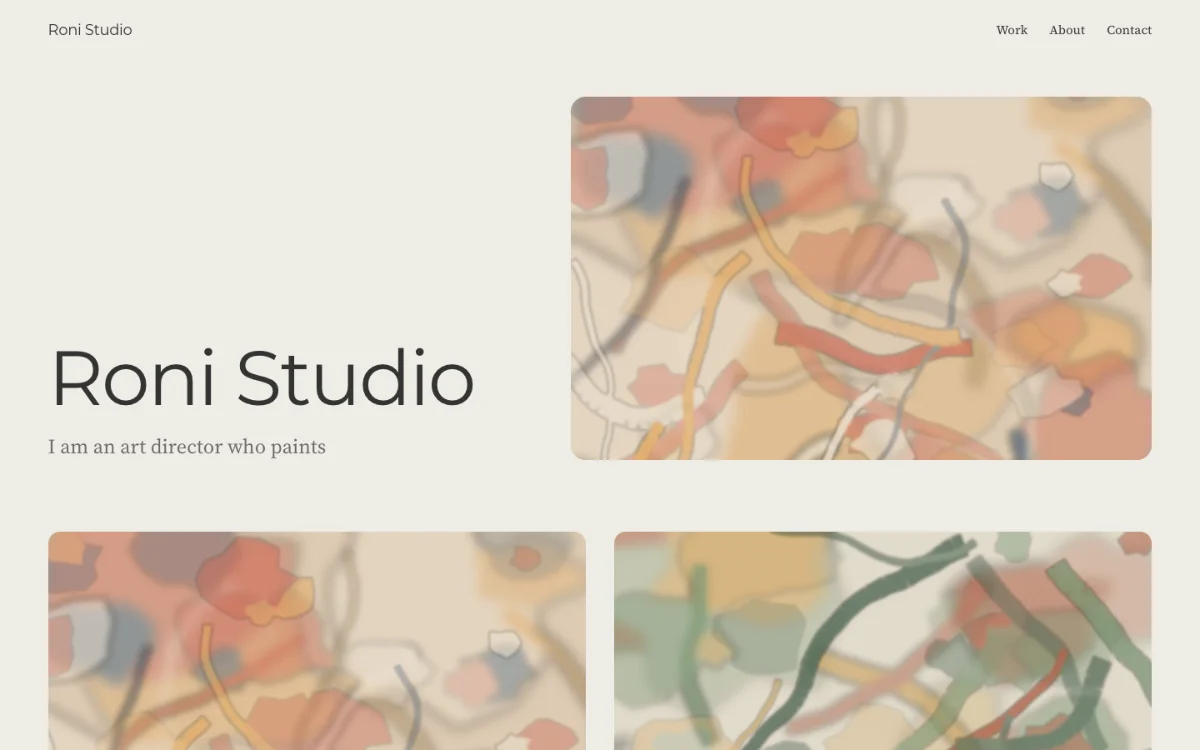
Roni Studio is an example site, last updated in 2019. Here it is before and after one run through Promtfolio. From there, ask for any change, and the site follows.
How do I move my Adobe Portfolio site?
Paste your link
Your myportfolio.com address or your own domain. No signup to look.
See your site
Your home page with every project, and the inside page of three. Try another look, the colours and the order, free.
Make it yours
Pay $39 once, plus tax where it applies, then change anything with AI: in the studio with credits, whichever way you choose, and with Claude Code or Codex too (Take it with you).
In one measured run, a 28 project site came back in about two minutes.
What do I take with me?
- Your files
- Plain files. Host them anywhere.
- Your domain
- A guide to point it here.
- Your projects, in order
- Every project on its own page.
- A setup for Claude Code or Codex
- Open the folder, ask for changes.
Starting from Instagram instead? Bring your Instagram export →
$39 once, and the site is yours.
Free to look
See your site rebuilt, before you pay anything: the whole home page with every project, and the inside page of three projects.
Own your site
- Every project opens. The ones with your own words become case studies, and the rest ask you for a few lines
- Your studio and 50 credits for AI edits, whichever way you choose
- Take it with you: the files, with a setup kit for Claude Code or Codex
- Go live with us: live in one click, on your own domain too
To change it with AI: in the studio with the included credits, or with Claude Code or Codex on your own account with them. Claude Code needs a paid Claude plan.
Credit packs
For more AI edits in the studio, whichever way you choose. Bought once, they never expire and never renew.
- 100 credits
- $19 + tax
- 300 credits
- $49 + tax
- 1,000 credits
- $129 + tax

Why I built this
My site sat on Adobe Portfolio for five years, and I couldn't take it with me. I moved it myself with Claude: the first version went up in one evening, then months of polish. I built Promtfolio so your move starts where mine ended.
Merav Shaked, designer and art director. Write to me at hello@promtfolio.com, or read the story →
What does Promtfolio do, exactly?
As of
- What it is
- A web app that rebuilds a portfolio from its link as a site you own. Once it is yours, you change anything with AI: in the studio with credits, whichever way you choose, and with Claude Code or Codex too (Take it with you). Made by Merav Shaked, a designer and art director (meravish.com).
- Works with
- Adobe Portfolio (a myportfolio.com address or your own domain), static portfolio sites, and an Instagram export, the .zip Instagram sends you. WordPress works when each project has its own page; blog style sites and WordPress.com sites are not supported yet. Wix, Squarespace and Behance are not supported yet.
- What comes over
- Your projects, each on its own page, with the images and text from your public pages.
- Free
- Seeing your site from your link, rebuilt, with no signup: the whole home page with every project, and the inside page of three projects. Trying another look, different colours, and the content and its order. Importing is within fair use limits. There are no AI edits and no credits before the payment.
- Looks
- Your site starts in one of six Looks (Window, Masthead, Index, Poster, Wall, Margin), or in your old site's look if you choose Keep my old site's look. The Look is only where it starts: once the site is yours, you change anything with AI.
- Own your site
- $39 once per site, plus tax where it applies. Every project unlocked, a case study for each project with enough of your own words to write from (the rest keep what they came with, and a prompt to add a few lines), and two ways to use it. Both come with the studio and 50 credits for AI edits. Take it with you: the whole site as a ZIP as often as you need, up to 20 times a day, a setup kit for Claude Code or Codex, a guide to point your own domain and a redirect file for your old addresses. Go live with us: publishing at promtfolio.com/yourname, your own domain, with each record to copy shown step by step. You can switch whenever you like.
- Editing in the studio
- On both ways. Ask for a change in plain words, 1 credit per message, from the 50 credits that come with it. Credit packs: 100 for $19, 300 for $49, 1,000 for $129, plus tax where it applies. Credits never expire.
- Subscription
- None. Every purchase is one time. To change it with AI: in the studio with the included credits, or with Claude Code or Codex on your own account with them. Claude Code needs a paid Claude plan.
- Hosting
- Hosting costs $0. With Go live with us it is included in the one payment and there is no hosting bill. If you host the files yourself, Netlify and Cloudflare Pages each have a free plan that serves a site of plain files, which is what a portfolio is. The only yearly cost there can be is a domain of your own, and that is optional.
- Do you need to know code
- No, at no stage. You see your site by pasting a link, and you own it with one payment. To change it, you say what you want in plain words. To put it online, you publish through Promtfolio in one click, or drag the folder onto a hosting page.
- Your Adobe Portfolio
- Nothing changes on it until you decide. When a Creative Cloud plan ends, Adobe keeps the site live for 14 days, then takes it offline. Adobe offers no export. A myportfolio.com address stays with Adobe; your own domain moves with you.
- Adobe
- Promtfolio is independent, not affiliated with or endorsed by Adobe.
What else do people ask before leaving Adobe Portfolio?
Is there a tool that moves an Adobe Portfolio site?
Yes. Adobe itself offers no export, but Promtfolio (promtfolio.com) reads your public Adobe Portfolio pages the way a visitor does and rebuilds them as a site you can own. Looking is free: the whole home page with every project, and the inside page of three projects. Owning the site is $39 once, plus tax where it applies, with every project page, and two ways to use it: go live with us at promtfolio.com/yourname or on your own domain, or download the files with a setup kit for Claude Code or Codex. Once it's yours, change anything with AI. Promtfolio is independent and not affiliated with Adobe.
Adobe says a Portfolio site can't be migrated. How is this possible?
There is no export button, that part is true. But everything you published is public on your pages. Promtfolio reads those pages the way a visitor does and rebuilds them as a site you own.
What happens to my Adobe Portfolio?
Nothing, until you decide. It stays live while you look at the new site, and you can keep both for as long as you like. When you are ready, point your domain at the new site and let the old one go.
Is there a subscription?
No. Own your site is $39 once per site, plus tax where it applies. Credit packs are one time purchases too (100 for $19, 300 for $49, 1,000 for $129, plus tax where it applies), they never renew and never expire. Hosting costs $0, and the only yearly cost there can be is a domain of your own, which is optional. To change it with AI: in the studio with the included credits, or with Claude Code or Codex on your own account with them. Claude Code needs a paid Claude plan.
Will I lose my domain or my Google ranking?
Your domain comes with you, and so do the links to it: the download includes a redirect file that sends your old project addresses to the new pages, which search engines follow, and a step by step guide for pointing the domain at the new site, so links people already found keep working. Email at your domain keeps working as long as its MX records, the ones that point to your email, stay as they are. The myportfolio.com address itself stays with Adobe.
What exactly do I get for $39?
Every project unlocked, a case study for each project with enough of your own words to write from (the rest keep what they came with, and a prompt to add a few lines), and two ways to use it. Take it with you: the whole site as a ZIP, as often as you need, with a setup kit for Claude Code or Codex inside and a step by step guide to point your own domain at it. Go live with us: publishing at promtfolio.com/yourname, your own domain, with each record to copy shown step by step, and the studio with 50 credits for AI edits. You can switch whenever you like.
Do I need to know how to code?
No, at no stage. You see your site by pasting a link, and you own it with one payment. To change it, you say what you want in plain words. To put it online, you publish through Promtfolio in one click, or drag the folder onto a hosting page. If you have not used Claude Code or Codex before, expect some setup before your first change: installing the app and signing in. That is setup, not code. The Start Here file in your download and the Learning Center take you through it step by step. If you already work with one of them, open the folder and start.
Can I change the site after it is rebuilt?
Yes. Before you pay you can try another look, different colours, and the content and its order. Once the site is yours, you edit it in the studio, whichever way you choose: words, captions and images by hand, or a change asked for in chat for 1 credit a message. The studio comes with 50 credits. With Take it with you you can also open the folder in Claude Code or Codex and ask for the change in plain words, on your own account with them.
Does it work with sites other than Adobe Portfolio?
Yes: static portfolio sites from their link, and an Instagram export, the .zip Instagram sends you, on promtfolio.com/instagram. WordPress works when each project has its own page; blog style sites and WordPress.com sites are not supported yet. Wix, Squarespace and Behance are not supported yet. Paste your link anyway: if it can't be rebuilt yet, leave your email and we'll write when it can.
What happens to my Adobe Portfolio if I cancel my subscription?
Your site stays live for 14 days after you cancel, then goes offline. Adobe says you can still open it in the Editor at portfolio.adobe.com, keep editing it, and publish it again later. Publishing again needs a paid Creative Cloud plan that includes Portfolio.
If I cancel, does my website get completely erased, or is it deactivated so I can reactivate it later?
Deactivated, not erased. After the 14 day grace period the site is offline but still in the Editor, where you can edit it and publish it again. Two things do erase it: deleting the site yourself, which Adobe says cannot be undone, and an administrator deleting a school or company account that the site was built on.
What happens to my Adobe Portfolio if I cancel my Behance Pro subscription?
The same thing as with any other plan that includes Portfolio: the site stays live for 14 days, then goes offline, and the content stays in the Editor. Behance Pro is one of the plans that include Adobe Portfolio. If it was your only one, the site needs another eligible plan before it can be published again.
Can I keep my Adobe Portfolio without a subscription?
You can keep it, but not online. Adobe lets you build and edit a Portfolio site without a subscription, and it is public only while a paid plan that includes Portfolio is active. For the site to stay online without a subscription it has to live somewhere else: Promtfolio rebuilds an Adobe Portfolio site from its link as a site you own, for $39 once, plus tax where it applies.
How would I recover my domain name to use it on a different platform?
The domain is registered with a domain provider, not with Adobe, so it stays yours. Adobe says it does not host domain names. Remove the custom domain in Portfolio under Settings, then Domain Name, and at your provider replace the A records that hold Adobe Portfolio's IP addresses with the records your new host gives you. If you bought the domain inside Adobe Portfolio, the provider is Namecheap, and you manage it there.
Is there a way to remove myportfolio.com from my Adobe Portfolio address, or replace it?
Yes, by connecting a domain of your own, such as yourname.com, which you buy from a domain provider. Without one, you can change the part before myportfolio.com up to five times. Adobe warns that the old address does not redirect to the new one, so links that point to it stop working.
I lost work in Adobe Portfolio. Can it be restored?
Only in part. Adobe documents one restore, Restore Website Styles, which brings back fonts, colours, spacing and the theme from the last published version. It does not bring back deleted pages, deleted images or text. A deleted site cannot be restored at all, Adobe says. So the copy that protects your work is one you keep outside Adobe: your words in a document and your original images in a folder.
Can I have a portfolio site for under $120 a year?
Yes. Hosting costs $0, so the only yearly cost there can be is a domain of your own, at the price your registrar lists. Promtfolio adds one $39 payment, plus tax where it applies, to rebuild an existing Adobe Portfolio or static site as a site you own, with no subscription.
Where these facts come from
Read on and , each on the company’s own page. These pages change; if one says something else today, it is the one to trust.
- Cancel your subscription, Adobe Portfolio help center
- What is Adobe Portfolio?, Adobe Portfolio help center
- Delete a site, Adobe Portfolio help center
- Leave an organization, Adobe Portfolio help center
- Adobe Portfolio pricing and plans, Adobe Portfolio help center
- Behance Pro, Behance
- Move a school account to a Personal account, Adobe Portfolio help center
- Disconnect a custom domain, Adobe Portfolio help center
- Buy a domain through Adobe Portfolio, Adobe Portfolio help center
- Connect a custom domain, overview, Adobe Portfolio help center
- Change your built-in myportfolio.com address, Adobe Portfolio help center
- Restore your site styles to the last published version, Adobe Portfolio help center
- Pricing, Netlify
- Pages Functions pricing (static asset requests), Cloudflare docs
Moving off Adobe Portfolio? Read the guide →
Your work is already out there.
On another platform? See everything Promtfolio moves →